1. What you need to know before Kafka
1.1. What’s a Microservice Architecture?
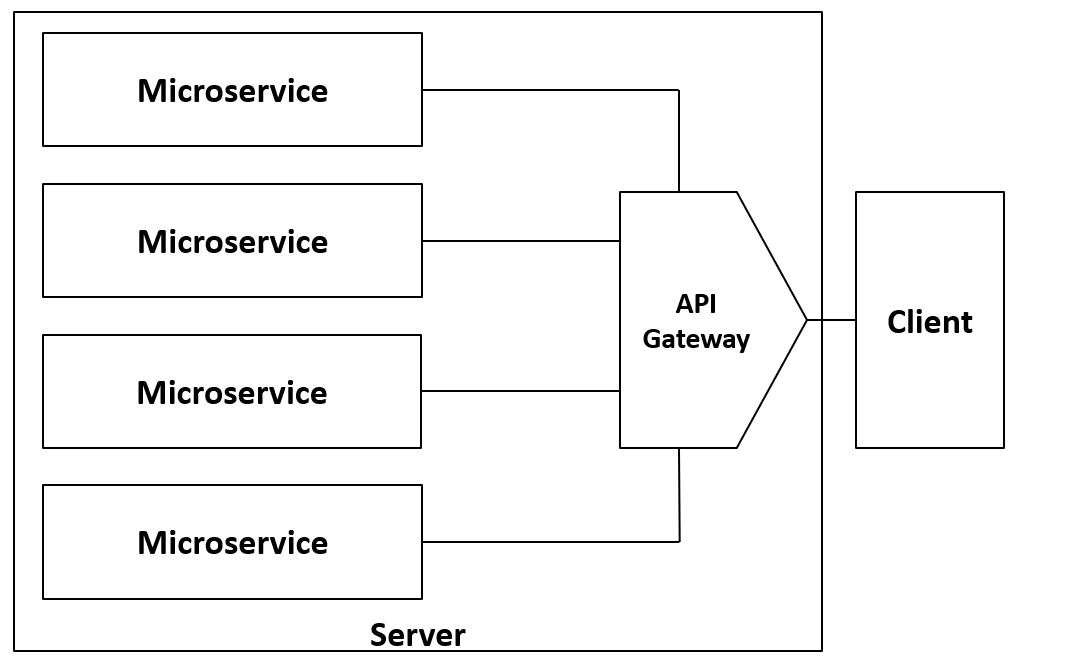
In a microservice architecture, a server is decomposed into different “smaller servers,” each responsible for a specific functionality, also known as a microservice. These can be deployed on separate hardware nodes or isolated within one node using containers or virtual machines.
The microservices communicate with each other through endpoints (RESTful APIs) and/or interprocess communication (sockets, pipes). Typically, there’s also an orchestrator (server logic) that receives client requests, processes them, and forwards them to the appropriate microservices, as well as a shared database accessed by different nodes.
1.2. What’s a Message Queue?
In System Design, a message queue is a system that allows one service to send messages that are stored temporarily in a queue. Other services can then read and process these messages. This helps decouple services so that if one fails or becomes slow, it doesn’t immediately cause the entire system to fail.
2. Introduction
A group of software-passionate friends decided to start a new project on GitHub: a simple client-server design continuously deployed on the internet.
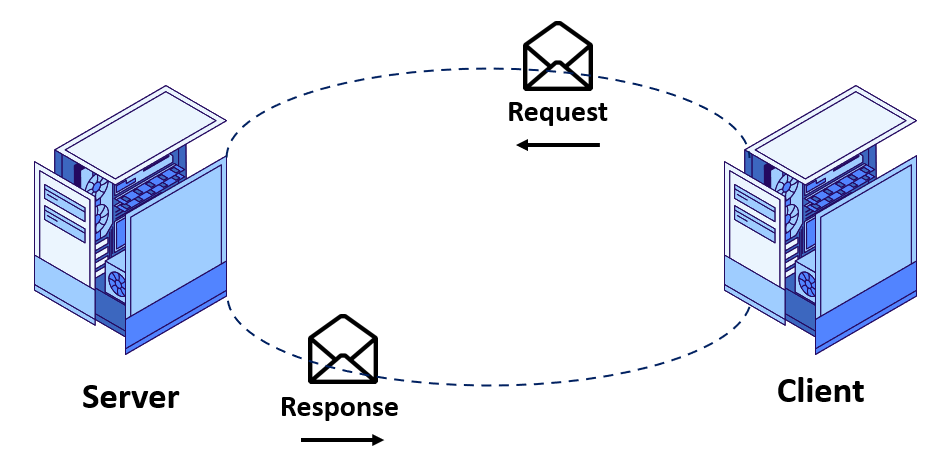
At first, the system was small and minimalistic, and users who discovered it were happy with the service. But as more users and companies started adopting it, the number of requests skyrocketed. This created latency issues and, eventually, a complete system crash.
After days of debugging, the friends discovered the problem: the
Data Analysis microservice was overloaded. While that service could normally afford to lose some requests, its tight coupling with other microservices caused failures to cascade across the system.
This issue is a classic example of
high coupling in system design.
To solve this, the friends researched and decided to adopt
Apache Kafka: a decision that could transform their project.
3. Key Concepts
3.1. Producer/Consumer Architecture
The simplest way to understand Apache Kafka is to imagine a
message queue with a
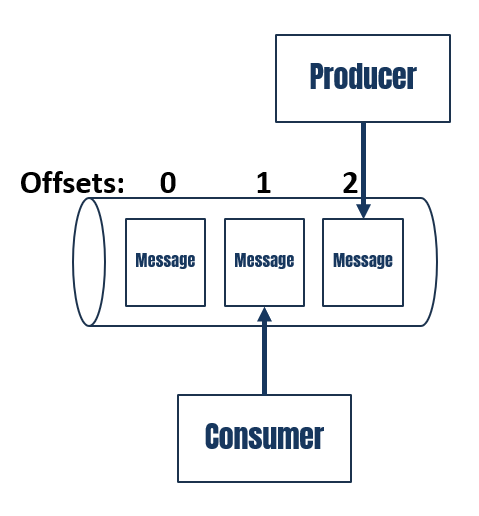
producer/consumer architecture. A producer sends messages into a queue. Consumers read messages from the queue and process them.

3.2. Offsets
Unlike a traditional queue, Kafka doesn’t delete messages once consumed. Instead, it uses
offsets to track what each consumer has read. Think of it like a log file—you don’t delete old lines, but you mark the last one you’ve read.
This makes Kafka better described with a
publish-subscribe architecture. (In this blog, we’ll use
subscriber and
consumer interchangeably.)
3.3. Topics
Kafka organizes messages into
topics.
For example, the group of friends could have:
salesdata-analysislogging
Multiple services can subscribe to the same topic. For instance, a
payment topic might be consumed by:
- one service handling banking,
- another logging transactions,
- and another updating stock levels.
3.4. Partitions
Each topic can be split into
partitions, which are ordered sequences of messages.
- Producers write messages to partitions.
- Consumers read them.
- Kafka guarantees order within a partition, not across an entire topic.
Each partition is consumed by exactly one consumer in a consumer group, but a consumer can read from multiple partitions.
3.5. Consumer Groups
Consumers can be grouped into
consumer groups for load balancing and fault tolerance.
- If one consumer fails, Kafka redistributes its partitions to the others.
- If a new consumer joins, it takes over some partitions.
This provides
scalability (add more consumers to handle more data) and
high availability (failures don’t crash the whole system).


Leave a Reply